<script src="//www.powr.io/powr.js" external-type="blogger"></script>
<div class="powr-popup" id="90a24490_1489324530354"></div>
<div class="powr-popup" id="90a24490_1489324530354"></div>
 displaying message BT power on. But on display it dont resemble the blutooth power on icon.(actually t makes BT stuck, but after restarting t becomes normal <tested by me>) Set. Crash.. will reboot.
NOTE : PAKIDEA.COM ARE NOT RESPONSIBLE FOR ANY PROBLEM OCCURS WHILE USING THESE CODE. ITS ALL DOWN TO THE USER WHO IS USING THESE CODE.
|
*#9998*289# : Change Alarm Buzzer Frequency
|
*#9998*364# : Watchdog
|
*#9998*523# : Change LCD contrast - Only with version G60RL01W
|
*#9998*746# : SIM File Size
|
*#9998*786# : Run, Last UP, Last DOWN
|
If the up Codes doesn't work, you should change *#9998* to *#0. i.e. *#9998*523# change to
|
*#0523#. An other thing that will help is to remove your SIM card. *0001*s*f*t# : Changes serial
|
parameters (s=?, f=0,1, t=0,1) (incomplete)
|
*0003*?# : unknown
|
*0003*?# : unknown
|
*#9998*377# : EEPROM Error Stack - Use side keys to select values. Cancel and ok
|
*#9998*427# : Trace Watchdog
|
*#9998*785# : RTK (Run Time Kernel) errors - if ok then phn is reset, info is put in memory error.
|
*#9998*778# : SIM Service Table
|
*#9998*947# : Reset On Fatal Error
|
*#9998*872# : Diag
|
*#9998*999# : Last/Chk
|
*#9998*324# : Debug screens
|
*#9998*636# : Memory status
|
*#9998*544# : Jig detect
|
*#9998*842# : Test Vibrator - Flash the screenligth during 10 seconds and vibration activated
|
*#9998*837# : Software Version
|
*#9998*228# : Battery status (capacity, voltage, temperature)
|
*#9998*9266# : Yann debug screen (=Debug Screens?)
*#9998*9999# : Software version |
SP-unlock SGH-600 (and also SGH-Sgh-600
|
*2767*3855# : Full EEPROM Reset ( THIS CODE REMOVES SP-LOCK!! )
|
But also changes IMEI to 447967-89-400044-0. (Doing this is illegal)
|
*2767*2878# : Custom EEEPROM Reset
|
*These codes have been tested with version FLD_2C6 G60SB03X of Samsung SGH-600
|
Samsung SGH-600 Unlock Codes
|
*#9999# : Show Software Version
|
*#9125# : Activates the smiley when charging.
|
*#0001# : Show Serial Parameters
|
*#0837# : Show Software Version (instructions)
· Sony ericson
<**< Use to display the information about mobile network
< 0 0 0 0 > Use to reset Sony Ericsson mobile default language
<0000> Use to reset Sony Ericsson mobile default theme
# To display the SIM Number of the mobile
**04*0000*0000*0000# You can access you mobile settings without SIM card
*#0000# Use to reset Sony Ericsson mobile English menu
904093 + menu Use to display the CDMA Mode
On/off button Press and release quickly on/off button to verify the battery
Nokia Code Description *3370# Activate Enhanced Full Rate Codec (EFR) - Your PHONE uses the best sound quality but talk time is reduced my approx. 5%#3370# Deactivate Enhanced Full Rate Codec (EFR) *4720# Activate Half Rate Codec - Your phone uses a lower quality sound but you should gain approx 30% more Talk Time. #4720# Deactivate Half Rate Codec. *#0000# Displays your PHONES software version, 1st Line : Software Version, 2nd Line : Software Release Date, 3rd Line : Compression Type.*#9999# Phones software version if *#0000# does not work. *#06# For checking the International Mobile Equipment Identity (IMEI Number). #pw+1234567890+1# Provider Lock Status. (use the "*" button to obtain the "p,w" and "+" symbols). #pw+1234567890+2# Network Lock Status. (use the "*" button to obtain the "p,w" and "+" symbols). #pw+1234567890+3# Country Lock Status. (use the "*" button to obtain the "p,w" and "+" symbols). #pw+1234567890+4# SIM Card Lock Status. (use the "*" button to obtain the "p,w" and "+" symbols). *#147# (vodafone) this lets you know who called you last. *#1471# Last call (Only vodofone). *#21# Allows you to check the number that "All Calls" are diverted to. *#2640# Displays security code in use. *#30# Lets you see the private number. *#43# Allows you to check the "Call Waiting" status of your phone. *#61# Allows you to check the number that "On No Reply" calls are diverted to. *#62# Allows you to check the number that "Divert If Unreachable (no service)" calls are diverted to. *#67# Allows you to check the number that "On Busy Calls" are diverted to. *#67705646# Removes operator logo on 3310 & 3330. *#73# Reset phone timers and game scores. *#746025625# Displays the SIM Clock status, if your phone supports this power saving feature "SIM Clock Stop Allowed", it means you will get the best standby time possible. *#7760# Manufactures code. *#7780# Restore factory settings. *#8110# Software version for the nokia 8110. *#92702689# Displays - 1.Serial Number, 2.Date Made, 3.Purchase Date, 4.Date of last repair (0000 for no repairs), 5.Transfer User Data. To exit this mode you need to switch your phone off then on again. *#94870345123456789# Deactivate the PWM-Mem. **21*number# Turn on "All Calls" diverting to the phone number entered. **61*number# Turn on "No Reply" diverting to the phone number entered. **67*number# Turn on "On Busy" diverting to the phone number entered. 12345 This is the default security code. press and hold # Lets you switch between lines.
Apple iPhone's
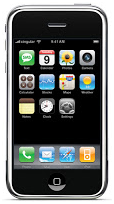 3001#12345# and tap Call. Enter field mode Field mode reveals many of the inner settings of your iphone specially up-to-date network and cell information *#06# Displays IMEI. No need to tap call IMEI is the unique identifier for your CELL PHONE hardwaretogether with your SIM information it identifies you to the provider network *777# and tap Call. Account balance for prepaid iPhone *225# and tap Call. Bill Balance. (Postpaid only) *646# and tap Call. Check minutes. (Postpaid only) These three are pretty self explanatory *#21# and tap call. Setting interrogation for CALL FORWARDS .Discover the settings for your CALL FORWARDING . You'll see whetheryou have voice, data, fax, sms, sync, async, packet access, and pad access CALL FORWARDING enabled or disabled.*#30# and tap Call. Calling line presentation check. This displays whether you have enabled or disabled the presentation of the calling line, presumably the number of the party placing the call. *&76# and tap Call. Check whether the connected line presentation is enabled or not. State whether the connected line presentation is enabled or disabled. Presumably similiar to the calling line presentation. *#43# and tap Call. Determine if call waiting is enabled Displays call waiting status for voice, data, fax, sms, sync data, async data, packet access and pad access. Each item is either enabled or disabled. *#61# and tap Call. Check the number for unanswered calls. Sho the number for voice CALL FORWARDING when a call is answered. Also showthe options for data, fax, sms, sync, async, packet access and pad access *#62# and tap Call. Check the number for CALL FORWARDING if no service is available.Just like the previous, except for no-service rather than no-answer situations. *#67# and tap Call. Check the number for call forwarding when the iPhone is busy. And again, but for when the iPhone is busy. *#33# and tap Call. Check for call control bars Here you will find all GSM-Codes/Secret-Code, for the iPhone are relevant. *#06# Displays your IMEI on your iPhone. *3001#12345#* To get your access to the field test mode of iPhone. *#30# Thus, you can check whether the caller identification (Clip-function) in the iPhone is active. *#43# Call Waiting Status *43# Activate a waiting #43# Deactivate waiting Change PIN1: **04* old PIN * new PIN * new PIN # Change PIN2: **042*old PIN * new PIN * new PIN # *#746025625# SIM Clock Stop Mode Whether your SIM card the SIM Clock Stop mode supported, you can find out with this code. The iPhone will then idle at the SIM card, ie no calls, etc., all activities on the SIM card. This has a positive effect on power consumption and prolongs battery life. *3370# EFR mode Enhanced Full Rate improves voice quality, but slightly reduced battery life. #3370# ERF OFF mode *4720# Half Rate (HFR) on Opposite of ERA. #4720# Half Rate (HFR) off *21# Call divert a #21# Call divert from **21* destination number # number programmed ###21 deletes the call transfer is complete. *#21# Call Forwarding Overview **61* destination number ** (Time 5 to 30 seconds) # divert after 5 to 30 seconds to ring *61# Activate divert #61# Call divert Disabled ##61# Deletes Diversion *#61# Call divert status **62* destination number # redirection in unattainability *62# Turning #62# Off ##62# Clear *#62# Status **67* destination number # for Divert if busy *67# Turning #67# Off ##67# Clear *#67# Status *31# PHONE number is transmitted#31# PHONE number is not transmitted*#5005*86# Are you the code, it displays the current mailbox settings. *5005*86*# xxxxx Combox mail button on the available (xxxxx = mailbox number) *646# minutes consumption control *135# Display Own Phone Number *33* barring code # Outgoing calls to block the lock code to inquire about her please contact your network operator. *#33 Unlock *#33# Status *331* barring code # Outgoing calls abroad to block the lock code to inquire about her please contact your network operator. #331* barring code # lift blockade *#331# status *#5005*7672# SMS- center check Current number of the SMS Center (SMSC) to find out. Each SMSC according to variable cost *5005*7672*xxxxxxx # SMS Center reactivate (xxxxxxx = SMS center number)
Lg Reset code
*6861# factory reset *8375# #668# *#3646633# *0# *3241# *3240# *0008# language *0009# language *0000# language *7674# *76863# *77463# *72337# *79763# *7245786# check read FFS *762442# GVCMMI Magic ###765*02# ###765*05# ###765*08# ###765*07# ###765*78# 1945#*5101# sim lock menu 2945#*5100#
2945*#01*# Secret menu for LG
IMEI (ALL): *#06#
IMEI and SW (LG 510): *#07#
Software version (LG B1200): *8375#
Recount cheksum (LG B1200): *6861#
Factory test (B1200): #PWR 668
Simlock menu (LG B1200): 1945#*5101#
Simlock menu (LG 510W, 5200): 2945#*5101#
Simlock menu (LG 7020, 7010): 2945#*70001#
Simlock menu (LG 500, 600): 2947#*
- Enter 277634#*# or 47328545454#
- Select 'SW Ver.info'
- Phone without SIM
- Enter 277634#*# or 47328545454#
- Select 'Factory Reset'
Code to enter UNLOCK MENU :
- Phone wit SIM inside
- Enter 2945#*88110#
Test Menu 8330 : 637664#*#
Test Menu 8180 V10a: 49857465454#
Test Menu 8180 V11a: 492662464663#
Test Menu 8130-8138: 47328545454#
Test Menu 8110-8120: 277634#*#
BY
ROHAN BHARTI
|
